HP Indigo White Ink: Applications on Clear and Metallic Labels
- Home
- Blog
HP Indigo White Ink: Applications on Clear and Metallic Labels
HP Indigo White Ink: How It Is Used on Clear and Metallic Labels
When it comes to premium label printing, colors, graphics, and special effects usually receive the most attention. However, one of the most critical elements determining professional print quality is often an invisible layer: white ink.
In clear and metallic label applications, white ink is not simply another color. It serves as a technical foundation that directly affects color appearance, opacity, readability, and overall design quality.
Whether a brand wants vibrant colors on a transparent bottle, a metallic effect on selected design elements, or consistent brand colors across different packaging materials, white ink often plays a critical role in achieving the desired result.
In HP Indigo printing, white ink plays an important role in premium label production, giving designers greater flexibility and control over the final appearance of labels.
What Is White Ink?
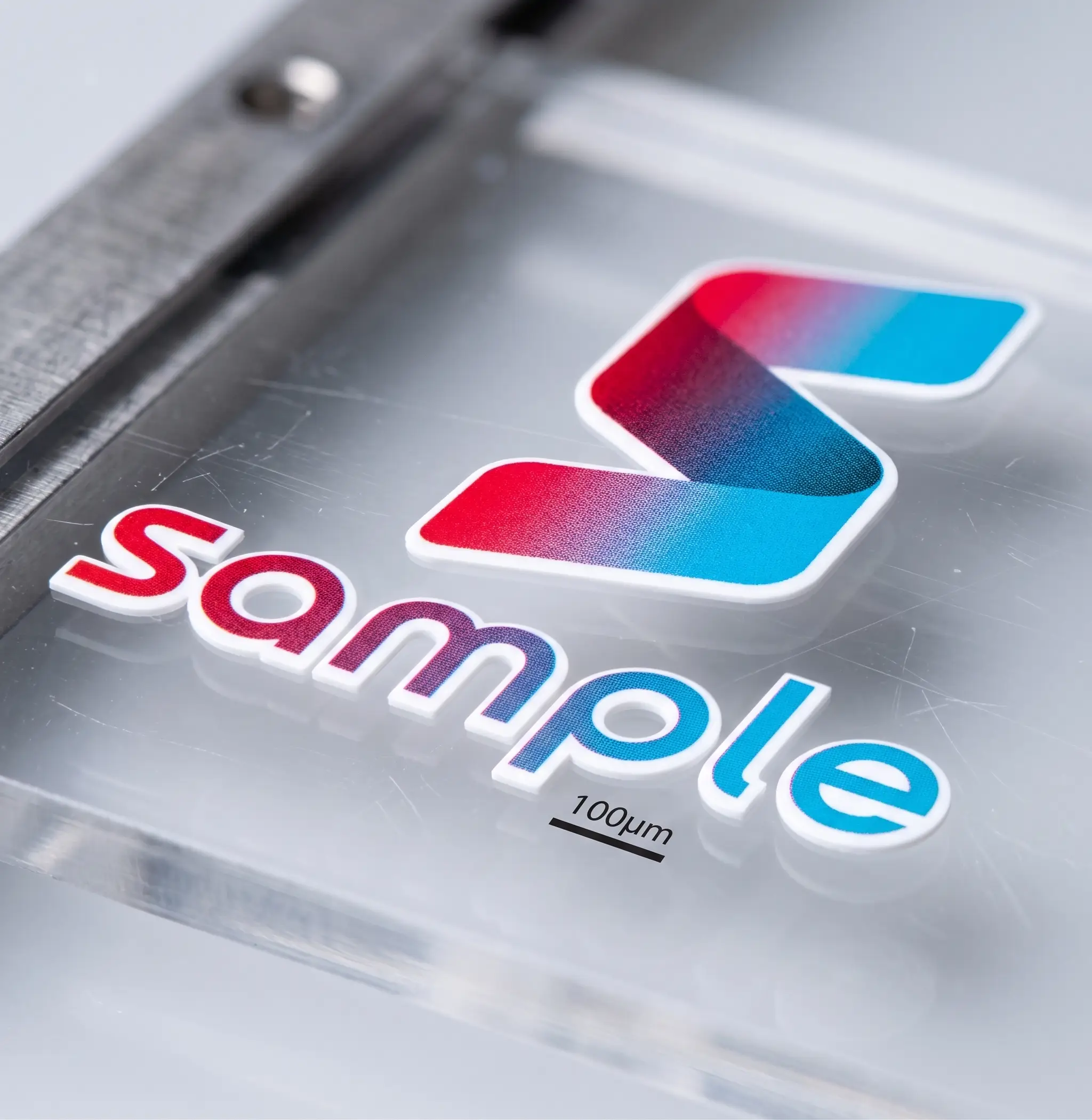
White ink is a specially formulated ink used to create an opaque layer underneath printed graphics.
Unlike standard CMYK inks, which allow a certain amount of light to pass through, white ink creates a solid visual foundation between the substrate and the printed artwork.
Its primary functions include:
* Creating opaque white areas
* Improving color vibrancy
* Enhancing readability
* Controlling transparency effects
* Managing metallic effects
* Supporting brand color consistency
For premium packaging applications, white ink is often one of the most important production elements.
Why Is White Ink Important for Clear Labels?
Clear labels have become increasingly popular in:
* Cosmetics
* Personal care products
* Beverages
* Cleaning products
* Glass packaging
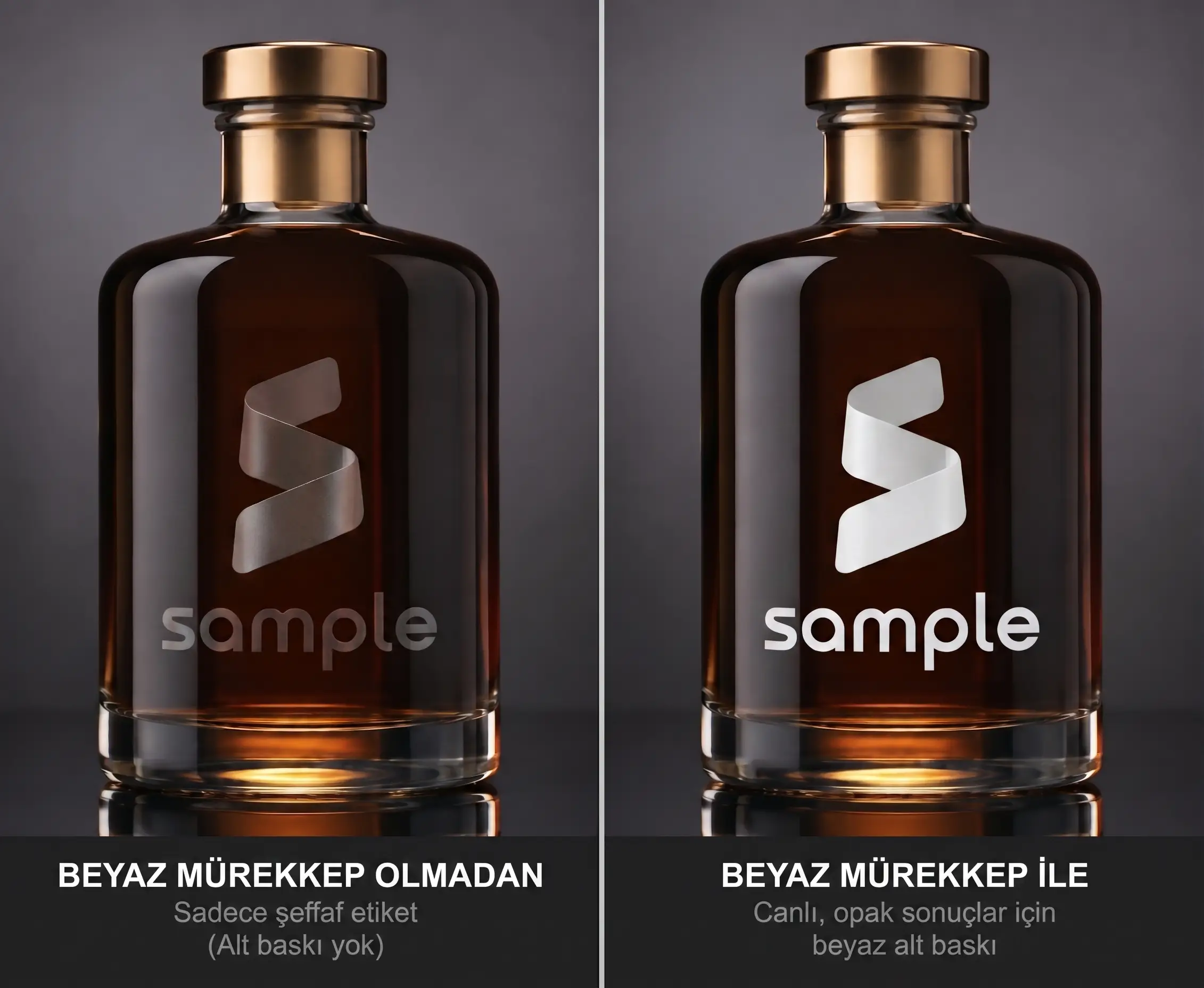
One of the main reasons brands choose clear labels is to achieve the well-known “no-label look” effect.
However, clear materials present a unique challenge:
There Is No White Background
The same red color can look completely different when printed on:
* White PP
* Clear PP
* A blue bottle
* Amber glass
The difference is not necessarily caused by the printing process itself. It is largely determined by the substrate and the color of the packaging underneath the label.
When white ink is used, the structure can be controlled as follows:
Clear Material
↓
White Ink Layer
↓
Printed Colors
This creates a more controlled and predictable visual result and helps brand colors appear more consistently.
Common White Ink Approaches for Clear Labels
Full White Underprint
A white layer is applied beneath all graphic elements.
Benefits include:
* Higher opacity
* Stronger colors
* Better readability
* Improved color consistency
Selective White Printing
White ink is applied only to specific areas.
For example:
* White under the logo
* White beneath product images
* Transparent background areas
This approach is frequently used for premium packaging designs.
Printing Without White Ink
Some designs intentionally avoid white ink.
Benefits include:
* Maximum transparency
* Product visibility through the label
* Minimalist visual appearance
This method is often used for modern and clean packaging concepts.
Why Is White Ink Important on Metallic Labels?
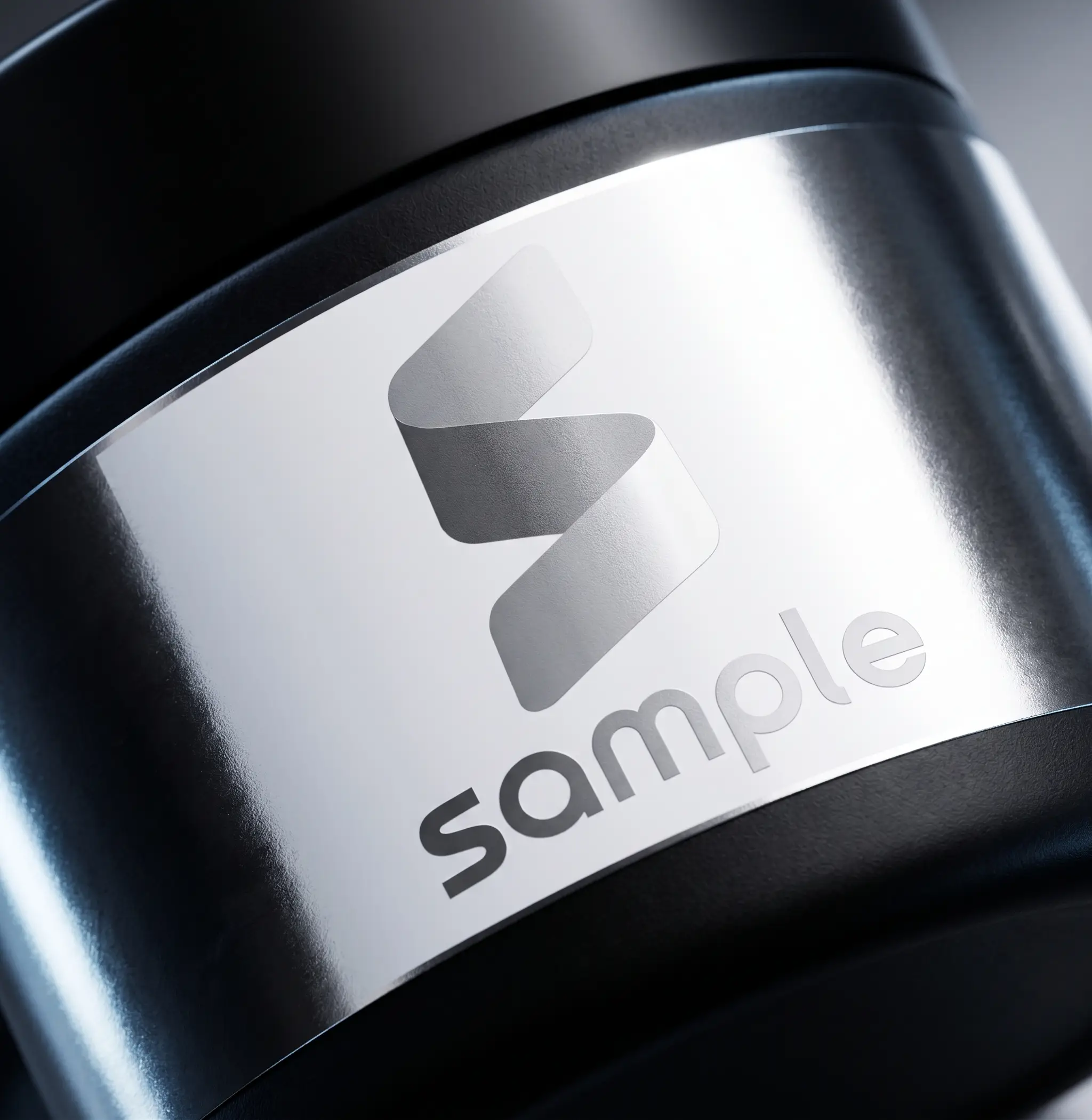
Metallic materials are widely used to create premium and luxury packaging appearances.
However, metallic substrates significantly influence how printed colors appear.
For example:
Yellow ink
↓
Printed on metallic silver material
↓
May create a gold-like visual effect.
While this effect can be desirable, it is not always appropriate for every design element.
Controlling Metallic Effects
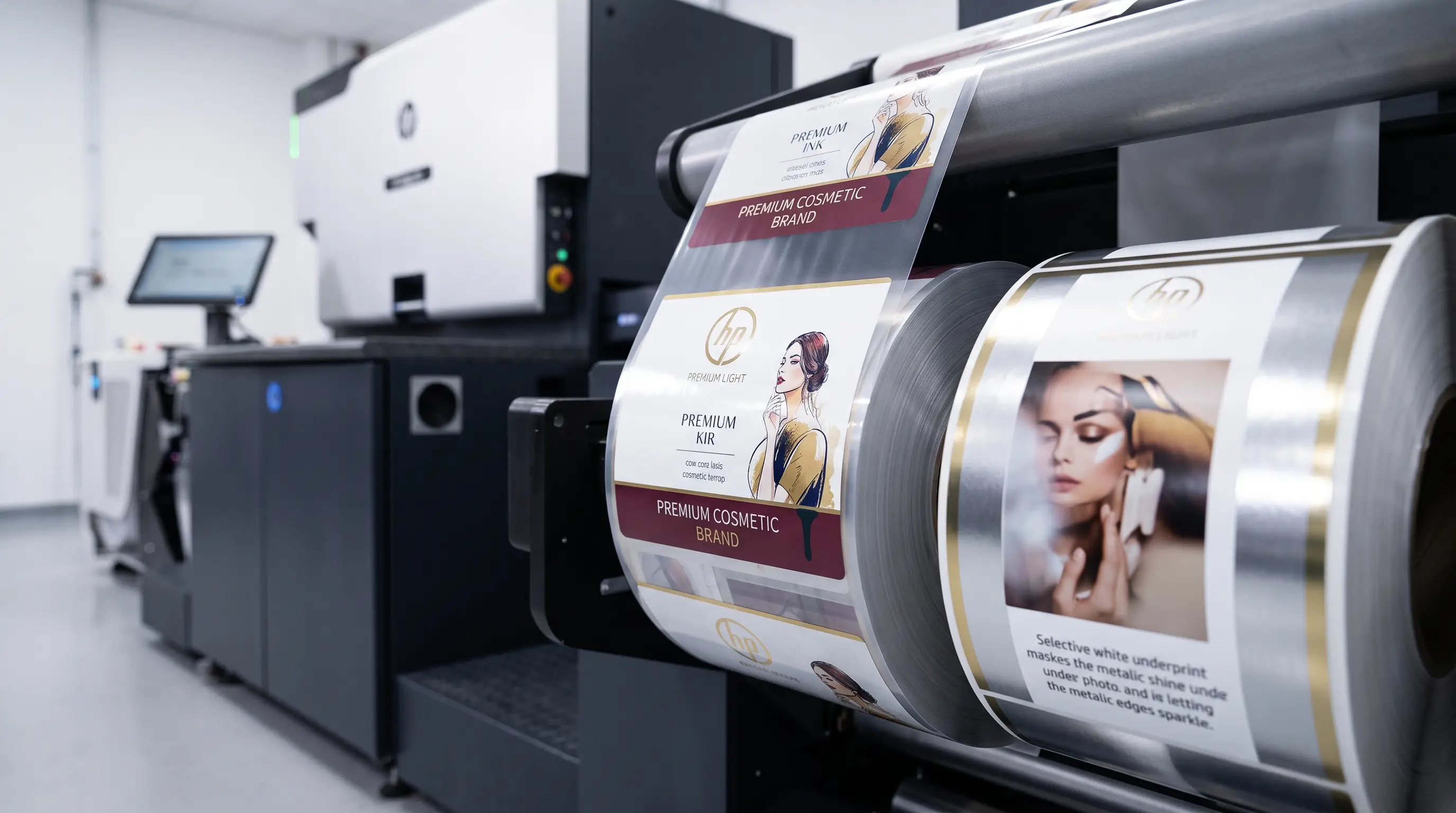
White ink acts as a masking layer.
Areas Printed Over White Ink
The metallic substrate is hidden.
Result:
* More natural color appearance
* Better image reproduction
* Greater color control
Areas Without White Ink
The metallic substrate remains visible.
Result:
* Gold effects
* Silver effects
* Metallic highlights
* Premium visual appearance
This allows designers to combine standard and metallic effects within a single label.
HP Indigo Premium White Technology
HP Indigo offers different white ink solutions depending on application requirements.
Premium White technology is designed to support:
* Higher opacity
* Stronger white appearance
* Improved coverage
* Enhanced performance on transparent materials
However, Premium White is not necessarily required for every project.
The most appropriate solution should be determined based on:
* Substrate
* Design requirements
* Desired visual effect
* Product type
* Required opacity
Testing and physical sample evaluation are recommended to determine the most suitable white ink solution for each application.
Common White Ink Design Mistakes
1. Not Creating a White Layer
Logos and graphics may become difficult to read on transparent packaging.
2. Applying White Everywhere
This can eliminate the visual benefits of metallic materials.
3. Ignoring Package Color
The color of the packaging can influence the final appearance of printed colors.
4. Skipping Physical Proofing
Artwork that looks perfect on a monitor may produce unexpected results in production.
For this reason, physical samples should always be evaluated on the actual packaging.
Quality Control Considerations
In premium label production, quality control should include:
✓ White opacity
✓ White layer consistency
✓ Color accuracy
✓ Registration accuracy
✓ Metallic effect transitions
✓ Transparency quality
✓ Repeatability between print runs
Benefits of White Ink on Clear and Metallic Labels
| Benefit | Impact |
|---|---|
| Stronger colors | Better shelf visibility |
| Higher opacity | Improved readability |
| Controlled metallic effects | Premium appearance |
| Transparency management | Greater design flexibility |
| Better color consistency | Stronger brand identity |
| Professional finish | Higher perceived value |
Frequently Asked Questions
Is white ink required on every clear label?
No. The decision depends on the design goals. Some projects intentionally use transparency as a design feature.
What happens if white ink is not used on metallic labels?
The metallic substrate will influence the appearance of printed colors and create metallic visual effects.
Does white ink affect brand colors?
Yes. White underprinting can help create more predictable and consistent color appearance.
What is HP Indigo Premium White?
Premium White is designed to provide higher opacity and stronger white coverage for demanding applications.
Does white ink increase production cost?
White ink adds an additional printing layer and may affect production cost. For this reason, it should be used strategically rather than applied unnecessarily.
Conclusion
In HP Indigo printing, white ink is far more than simply another color.
It serves as a critical production tool for controlling:
* Opacity
* Color appearance
* Transparency
* Metallic effects
* Premium visual impact
A well-planned white ink strategy allows designers to combine transparent areas, vibrant brand colors, and metallic effects within the same label design.
For premium packaging applications, successful results depend not only on creative design but also on the strategic and technically appropriate use of white ink.
00+
Workers
00+
Projects
00+
Happy Customers
00+
Continent